Apple OS 27: What Changed in iOS 27, watchOS 27 and macOS Golden Gate
Status checked September 1, 2026: none of these has shipped. Everything below describes developer betas, and beta behaviour changes.
Apple OS 27 covers iOS 27, watchOS 27, tvOS 27, and macOS 27 (codename Golden Gate), all announced at WWDC 2026 on June 8. Apple has an event scheduled for September 9, 2026, and has not confirmed a release date; on the pattern of previous years the public releases land in the middle of that month, which MacRumors reads as the week of September 14. Treat that as precedent rather than a commitment. Rather than piling on headline features, the release takes a Snow Leopard-style approach: tightening existing systems, fixing longstanding annoyances, and planting infrastructure for hardware that does not yet exist. The result is the most coherent Apple software release in several years, with a few genuinely surprising additions buried in the details.
What Is New Across Apple OS 27
Apple OS 27 is a coordinated update across all four major Apple platforms, sharing a unified Liquid Glass visual language and a rebuilt Siri backend. The headline additions span independent audio controls on iPhone, finger-touch Sidecar on Mac, new gesture logic on Apple Watch, and a Siri assistant that now runs on Apple Foundation Models. Early developer-beta reports describe performance on Apple Silicon as noticeably more responsive than macOS 26 Tahoe, the release it replaces, even before the final build ships.
The stability emphasis is real. Developers running the beta on M4 Pro hardware report it stable enough for daily work, including demanding virtualization workflows. That said, several UI regressions remain in the beta: oversized toolbars consume screen space, rounded window corners are inconsistent, and some panels flicker on high-refresh displays.
iOS 27 Hidden Features Worth Turning On
The most immediately useful iOS 27 hidden features are buried in menus that most users never visit. Independent volume controls for ringtones, alarms, timers, and reminders is the standout. Previously, the ringer volume controlled everything; now each audio category has its own slider.
To enable separate alarm and ringtone volumes:
- Open Settings on your iPhone running iOS 27.
- Tap Sounds & Haptics.
- Turn off the toggle labeled “Match Phone Ringer Volume”.
- Use the individual sliders that appear for ringtone, alarms, timers, and reminders.
One important caveat: the physical volume buttons on the side of the iPhone still adjust only the ringtone slider, not the alarm level. If you set an alarm volume with the slider and then accidentally press the side buttons, the alarm volume stays unchanged.
Two other changes worth noting. First, the Now Playing media card can now be swiped away like a notification. There is no documented toggle to restore it, and it is unclear whether this is intentional behavior or a beta bug. Second, iPhone now has a Mac-style Recovery Mode: hold the side button after shutdown until a progress bar appears, enabling diagnostics and firmware operations without a computer.
For Chinese users, iOS 27 also adds radical decomposition to the Chinese keyboard. Typing the character components separately (for example, entering three instances of the fire radical) surfaces compound characters like 焱 as candidates. The candidate bar also now shows recent clipboard contents, which speeds up repetitive input tasks.
iOS customization options available before iOS 27
The China-Only Workday (调休) Alarm in iOS 27
China’s public holiday system uses 调休, a practice where workers take days off around national holidays but make up those hours on adjacent weekends. Standard alarm repeat options (weekdays, weekends, every day) do not account for this, meaning alarms fire on make-up workday Saturdays or stay silent on compensatory rest days.
iOS 27 adds a “Workdays (including make-up workdays)” repeat option specifically for users with a mainland China region setting. The alarm syncs with the official Chinese holiday calendar to fire on actual working days and stay silent on actual rest days, regardless of whether that day is a Monday or a Sunday. This is a narrow feature, but it solves a genuine daily friction point for hundreds of millions of users.
Apple Intelligence features available in China in 2026
watchOS 27 New Gestures: What Changed from watchOS 26
watchOS 27 is a gesture-focused update that changes how users interact with widgets and complications. In watchOS 26, switching between widgets required a thumb-and-index-finger double tap. In watchOS 27, a single tap on a widget both selects it and surfaces related content, reducing the gesture complexity for the most common interaction.
This change makes the watch feel more responsive in brief glance scenarios, which is where Apple Watch usage is most concentrated. The double-tap gesture still exists for other functions but is no longer the primary widget navigation method.
Apple Watch Series 9 compatibility deserves a direct note. Apple’s documentation briefly listed the Series 9 as excluded from watchOS 27, causing concern among owners. Apple corrected the error within one day of the WWDC announcement: Series 9 and all later models receive the update.
macOS Golden Gate Updates: Sidecar Touch and Menu Bar Tray
macOS 27 Golden Gate is the first macOS release to require Apple Silicon, ending support for all Intel-based Macs. The two most practical additions are Sidecar touch control and a menu bar tray that finally addresses the notch overflow problem.
Sidecar in macOS 27 adds full finger-touch control of the Mac from a connected iPad. Previous versions of Sidecar required an Apple Pencil for any touch input; finger gestures were ignored. The change has an obvious implication: Apple is building the software infrastructure for a touchscreen Mac, even if no such product has been announced. Beta testers report that finger scrolling and tap-to-click through Sidecar work without noticeable latency on a local Wi-Fi connection.
The menu bar tray collapses overflow icons into a single expandable group, which is the fix that Mac users with notch-equipped MacBook Pros have needed since 2021. macOS 27 also adds a wired Ethernet status bar icon, a small but welcome addition for users who switch between Wi-Fi and wired connections.
| Feature | macOS 26 Tahoe | macOS 27 Golden Gate | Notes |
|---|---|---|---|
| Sidecar touch input | Apple Pencil only | Full finger touch | Requires iPadOS 27 |
| Menu bar overflow | Hidden behind notch | Collapsible tray | Works on all Macs |
| Intel Mac support | Yes | No (Apple Silicon only) | M1 minimum |
| Ethernet status icon | No | Yes | Wired connections |
| iPhone Mirroring window | Fixed size | Infinitely resizable | iPad-sized views supported |
For most users, the menu bar tray and Sidecar touch are the immediate quality-of-life wins. Developers on Apple Silicon gain the most from the Intel cutoff, since the OS can now optimize exclusively for the unified memory architecture.
How iPhone Mirroring works on Mac and every alternative method
The New Siri AI: Its System Prompt and What It Does
The rebuilt Siri in Apple OS 27 runs on Apple Foundation Models and represents the most significant change to the assistant since its 2011 introduction. Apple Foundation Models is Apple’s term for its suite of on-device and server-side language models, optimized from larger third-party models for specific Apple use cases.
The Siri system prompt, which defines how the assistant behaves at a foundational level, has circulated in part after developers examined the beta. Apple has not published it, so treat the wording as reported rather than official. It opens with: “You are Siri, an intelligent assistant designed by Apple in California.” The prompt instructs Siri to deliver visual-rich responses using images, native app UI elements, and structured comparisons rather than plain text. It explicitly tells Siri to accept corrections from users, admit when it does not know something, and acknowledge: “You are software, not sentient.”
In practice, this means Siri in OS 27 should surface App Store UI, Maps cards, and structured data tables inside its responses rather than reading out plain text. The waiting list for the new Siri means most users cannot test this at beta launch, which is a significant caveat: the headline feature of the entire OS 27 release is not yet accessible to most testers.
Siri and Google Gemini: Separating Myth from Reality
A persistent claim circulating since WWDC is that the new Siri is simply Google Gemini with an Apple skin. This is inaccurate, and the distinction matters for understanding what Apple actually controls. Reporting through 2026 has described Apple licensing a Google model for the heaviest reasoning work while building its own layer on top, and that is where the Gemini involvement ends. Apple’s own announcement of the next-generation Siri names Apple Foundation Models and does not mention Google.
Apple controls the following independently: the indexing of on-device content, the display of screen-context information, the prompt logic (as evidenced by the disclosed system prompt), the local-versus-cloud tier selection (deciding which queries stay on-device and which go to servers), and the overall orchestration between models. The relationship is closer to a licensed engine inside a custom-built car than a rebranded product.
The practical implication is that Apple’s privacy architecture, including Private Cloud Compute, still applies to Siri queries that leave the device. Google does not receive user query data in this setup. Whether Apple Foundation Models ultimately deliver better results than a native Gemini integration is a question that cannot be answered until the waiting list clears.
Liquid Glass Redesign: The Trade-Offs
Liquid Glass is the visual design system introduced across Apple OS 27, replacing the flat translucency of recent iOS and macOS releases. The concept uses layered glass-like surfaces with dynamic light refraction, drop shadows matched to app icon colors, and depth cues throughout the interface.
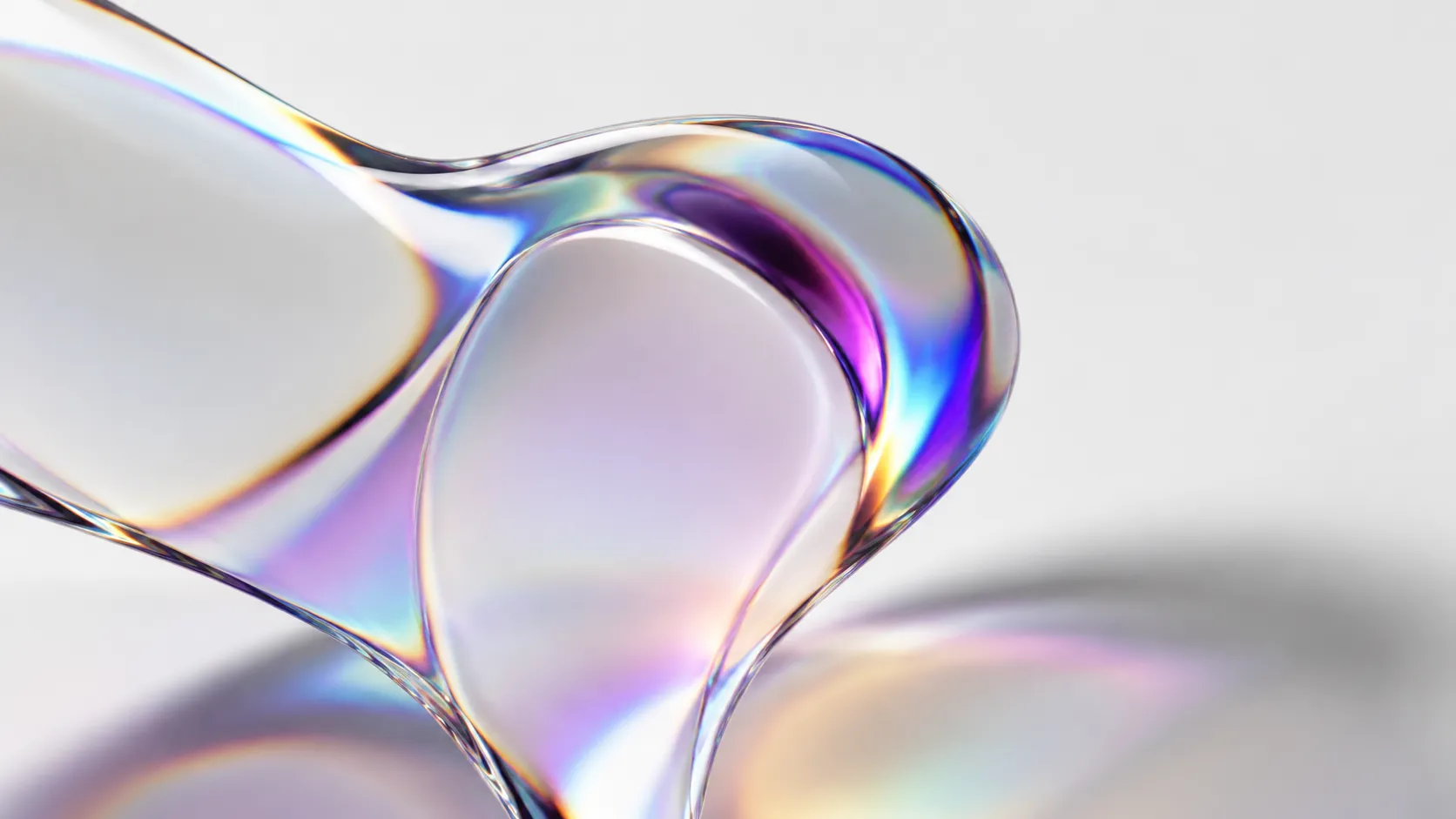
The beta reveals that Apple has already walked back two elements from the initial WWDC preview. The gravity-responsive outline glow that appeared around icons, the dock, and widgets has been removed from most contexts and retained only on the lock-screen clock. The edge gradient blur has also been reverted to a standard frosted glass treatment. Analysis from the Chinese tech publication sspai describes the result as top-heavy, with the visual weight concentrated at the top of the interface.
The addition that survives intact is color-matched drop shadows on compliant app icons. Apps with white icons on colored backgrounds receive deeper shadows than those with transparent or light backgrounds, creating a more grounded appearance on home screens. Whether this justifies the UI instability (flickering panels, inconsistent corner radii) that beta testers are reporting is a question that will only be answered at the final release.
For users who care about customization, the Liquid Glass changes interact with third-party themes in unpredictable ways in the current beta. The best macOS theme options and how they interact with system UI changes
Foldable iPhone Signals in iOS 27 System Parameters
Three new system parameters in iOS 27 have attracted attention from developers inspecting the OS internals: foldState, angleDegrees, and _MGGetLogicalDeviceDisplayCount. These are engineering-level parameters that the OS uses to describe device state, and none of the current iPhone lineup has a hinge or multiple logical displays.
foldState suggests a device that can report whether it is open, closed, or at an intermediate position. angleDegrees implies a continuous hinge angle measurement rather than a binary open/closed state. _MGGetLogicalDeviceDisplayCount indicates that the OS is prepared to manage multiple display regions that may behave differently from each other, as a foldable with an inner and outer screen would require.
These parameters align with foldable iPhone rumors that have circulated for 2026 and 2027 launch windows. It is critical to frame this accurately: the presence of system parameters is an engineering signal, not a product announcement. Apple routinely builds infrastructure one or two OS cycles before the hardware ships. The parameters confirm that engineering work is underway; they confirm nothing about release timing, form factor, or price.
For the full compatibility list and the feature-by-feature breakdown as it stands in beta, Macworld maintains a running guide to macOS 27 that is updated as builds land.
Key Takeaways
- Independent volume controls are the most immediately useful iOS 27 hidden feature: Settings, Sounds & Haptics, turn off “Match Phone Ringer Volume” to get separate sliders for alarms, timers, and reminders.
- macOS Golden Gate requires Apple Silicon (M1 minimum), ending Intel Mac support permanently; the two standout additions are finger-touch Sidecar and a menu bar tray that fixes notch overflow.
- The new Siri runs on Apple Foundation Models, not a rebranded Gemini product. Apple controls prompt logic, privacy routing, and on-device orchestration; the waiting list means most users cannot test it at launch.
- watchOS 27 simplifies widget interaction to a single tap, and Apple Watch Series 9 is confirmed compatible despite an initial documentation error.
- Three iOS 27 system parameters (foldState, angleDegrees, _MGGetLogicalDeviceDisplayCount) are credible engineering signals for a foldable iPhone, but Apple has announced nothing and historical precedent suggests hardware could still be one to two years away.
Frequently Asked Questions
What devices are compatible with macOS 27 Golden Gate?
macOS 27 Golden Gate requires Apple Silicon, meaning any Mac with an M1 chip or later. That makes macOS 26 Tahoe the last release to run on Intel, and Apple’s own compatibility list names four Intel models that got it: MacBook Pro (16-inch, 2019), MacBook Pro (13-inch, 2020, Four Thunderbolt 3 ports), iMac (Retina 5K, 27-inch, 2020) and Mac Pro (2019) (Apple). If you own one of those four, Tahoe is your final major release, not Sequoia. Every other Intel Mac stopped at an earlier version.
How do I set separate volume levels for alarms and ringtones in iOS 27?
Go to Settings, then Sounds & Haptics, and turn off the toggle labeled ‘Match Phone Ringer Volume’. This reveals independent sliders for ringtone, alarms, timers, and reminders. Note that the physical volume buttons on the side of the iPhone still adjust only the ringtone volume, not the alarm slider.
Is the new Siri in Apple OS 27 just Google Gemini rebranded?
No. Apple Foundation Models are optimized from Gemini for complex tasks and run on rented Nvidia GPUs, but Apple controls the indexing, on-screen content display, prompt logic, local-versus-cloud tier selection, and overall orchestration. The underlying model relationship is more like a licensed and heavily modified engine than a simple rebrand.
Does Apple Watch Series 9 support watchOS 27?
Yes. Apple initially published documentation that appeared to exclude the Series 9, but corrected the error within a day of the WWDC announcement. Apple Watch Series 9 and later all receive watchOS 27.
What do the foldable iPhone clues in iOS 27 actually confirm?
iOS 27 exposes three new system parameters: foldState, angleDegrees, and _MGGetLogicalDeviceDisplayCount. These suggest a device that can report its hinge angle and manage multiple logical displays simultaneously. Apple has not announced a foldable iPhone, and these parameters are engineering signals, not product confirmations.
Recommended reading
PDF Editors for Mac: What They Cost, and What Preview Already Does
What a Mac PDF editor really costs in 2026. Preview's exact limits, why every App Store listing says Free, and which tools are subscription, buy-once, or genuinely free.
Mac Cleaner Apps in 2026: What Each One Costs and Removes
Mac cleaner apps in 2026 compared on price and on what they actually delete: the macOS built-in tools, free apps like OnyX and Mole, and the paid suites, including the checkout terms.
Mac Activity Monitor: How to Read CPU, Memory Pressure and Energy Impact
Learn to read Mac Activity Monitor like a pro: CPU, Memory Pressure, Energy Impact, and which processes are safe to quit in macOS 26 Tahoe.