Best iTunes Alternatives in 2026: 9 Apps Compared
Every price in this guide was checked against the vendor’s own page on August 26, 2026. Many vendors in this category run a permanent discount countdown, so the figure at checkout is a promotional one and moves; where a vendor publishes no price on its own site, this guide says so rather than guessing.
Apple split iTunes into separate apps (Music, Podcasts, TV, Finder sync) with macOS Catalina in 2019, and the Windows version limped along until Apple Music for Windows arrived, still in beta as of 2025-2026. The result: millions of users with local music libraries, classic iPods, or iPhones to manage are stuck with tools that feel half-finished. This guide ranks the best iTunes alternatives by real-world use case, covering free and paid options for both platforms.
Why iTunes No Longer Cuts It
The original iTunes was a single app that ripped CDs, managed libraries, synced iPods, backed up iPhones, and sold music. That consolidation was its strength and, eventually, its weakness. Apple’s decision to fragment it left each successor app covering only part of the original’s job.
Apple Music for Windows, the nominal replacement on that platform, is still in beta and carries a reputation for instability that community forums have documented consistently since its 2023 launch. Users report crashes on library scans, missing album art after updates, and sync errors that the old iTunes handled without drama. On macOS, the built-in Music app works adequately for streaming subscribers but strips away the file-management depth that power users relied on.
The practical gaps are real: no cross-platform library tool, no granular iPhone backup, and no serious duplicate detection. That is why the alternatives below exist and why they attract loyal, vocal user bases.
Best Free iTunes Alternatives for Windows
Windows users have the widest selection of free, mature alternatives. The two that consistently top community recommendations are MusicBee and MediaMonkey, but they serve different profiles.
MusicBee is a free Windows music manager that combines a customizable three-panel layout with a 15-band equalizer, smart playlists, automatic metadata fetching from MusicBrainz and Last.fm, and gapless playback. Users with large libraries consistently rate its auto-tagging accuracy above Windows Media Player’s equivalent feature. MusicBee also supports portable device sync, including older iPods, without requiring iTunes to be installed. The interface is dense but logical once you spend an hour configuring it.
MediaMonkey (free tier available, Gold edition at $24.95 one-time) is the correct tool when the library itself is the problem. It is designed to handle libraries exceeding 100,000 files, with advanced duplicate detection that compares by file hash, not just filename. Batch tag editing across hundreds of tracks takes seconds. The free version covers most users; Gold adds auto-organization rules and advanced sync profiles.
Foobar2000 occupies a different niche: it is a minimal, highly extensible player with a component system that lets you bolt on DSP plugins, custom visualizations, or ReplayGain scanning. It has almost no built-in library management out of the box, which means the learning curve is steep, but the payoff is a player that consumes under 30MB of RAM during playback.
Windows iTunes Alternatives at a Glance
| App | Price | Library Size | iOS Sync | EQ / DSP | Platform |
|---|---|---|---|---|---|
| MusicBee | Free | Large | Yes (iPod/iPhone) | 15-band EQ | Windows only |
| MediaMonkey | Free / $24.95 | 100,000+ files | Yes (Gold) | Basic | Windows only |
| Foobar2000 | Free | Unlimited | No | Plugin-based | Windows / macOS |
| Apple Music (Windows) | Free / subscription | Unlimited | Yes | None | Windows only |
| VLC | Free | Unlimited | No | 10-band EQ | Cross-platform |
For most Windows users switching away from iTunes, MusicBee is the correct starting point. MediaMonkey wins for anyone managing a library above 20,000 tracks where duplicate detection and batch editing matter more than interface polish.
Top macOS Apps to Replace iTunes
On macOS, the built-in Music app handles Apple Music subscribers well enough, but local-library users frequently find it slow to index large folders and opaque about where files actually live on disk.
Swinsian ($34.95, macOS only) is a lightweight music player built specifically for local libraries. It imports an existing iTunes library, preserving playlists and play counts, and presents the collection in a clean column browser. One important limitation: Swinsian does not support iOS device syncing, so it is best paired with a separate iPhone management tool. For users who simply want to play and organize FLAC, ALAC, or MP3 files without streaming clutter, it is the cleanest macOS option available.
Cog is a free, open-source macOS player that supports FLAC, Ogg Vorbis, Opus, and a long list of other formats that the Music app handles poorly. It has no library management at all. A surprising number of users in music-collector communities have abandoned managers entirely and simply drag folders of FLAC files into Cog. That workflow sounds primitive, but for anyone whose listening habits involve full albums rather than shuffled playlists, it is genuinely efficient.
JRiver Media Center ($99.98 for a Mac licence, or $124.98 for the cross-platform Master licence) sits at the opposite extreme. It includes DIRAC room correction DSP, a feature that iTunes never offered and that audiophiles pay separately for in dedicated hardware. JRiver is cross-platform (Windows, macOS, Linux) and handles video and photos alongside music. The interface is complex enough that new users typically need a weekend to configure it properly, but the DSP capabilities are unmatched at the price.
best free Mac utility apps for media management
iPhone Managers: iMazing, CopyTrans, and WALTR PRO
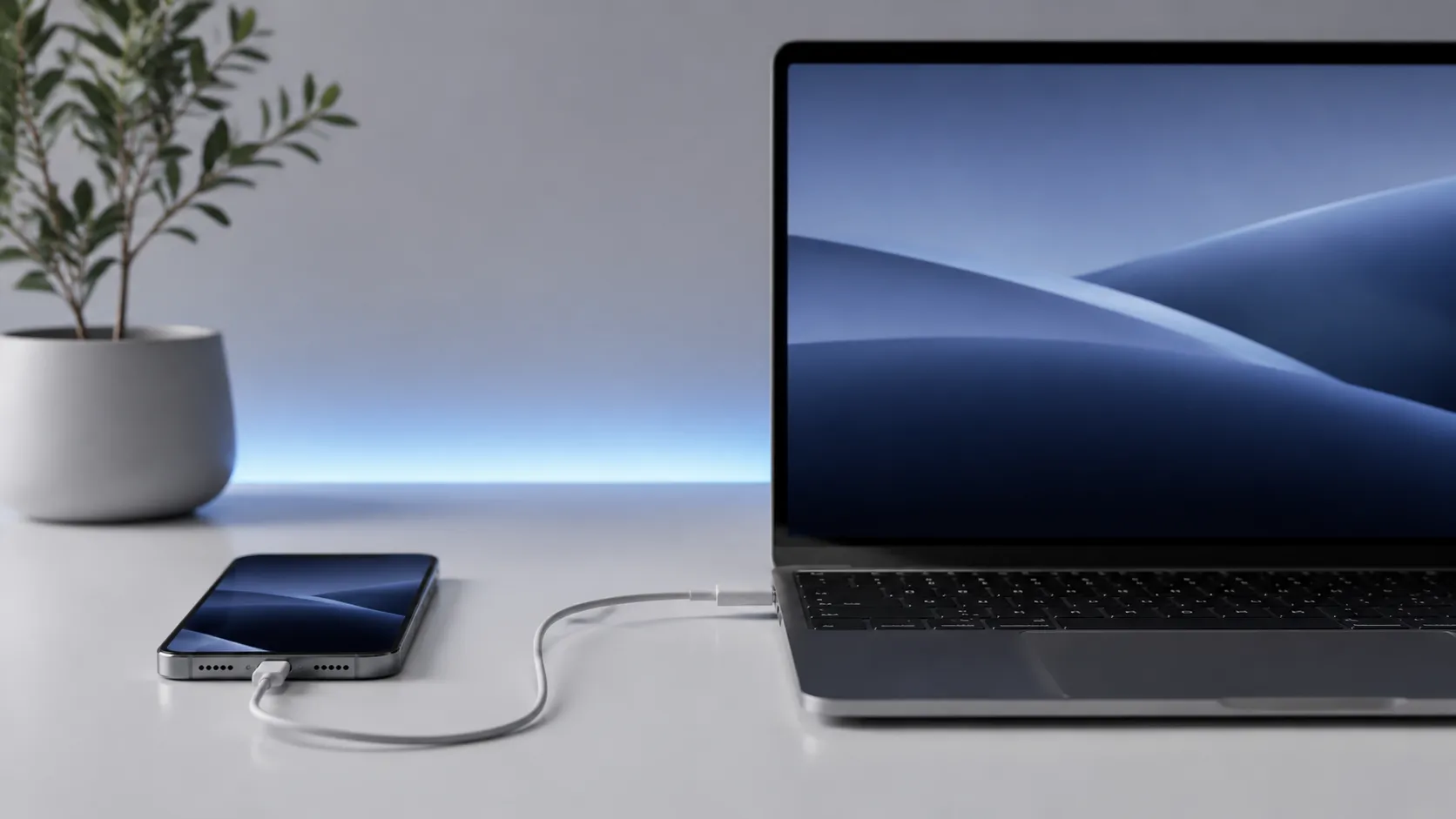
If your primary frustration with iTunes is iPhone management rather than music playback, you need a dedicated device manager, not a music player. These three tools cover that function with meaningfully different approaches.
iMazing (a $49.99-per-year personal subscription covering five Apple devices, free trial available) is the most capable iPhone manager available on either platform. It can extract messages, voicemails, contacts, notes, and music from an iPhone backup, browsing each category independently. The granular backup browser is what sets it apart: you can restore a single Messages thread without touching the rest of the device. According to iMazing’s own documentation, the app also supports managing music libraries on the device without triggering a full library wipe, which is the scenario that causes the most anxiety when switching away from iTunes.
CopyTrans (the 7 Pack bundle starts at $29.99, read off CopyTrans’s own store on August 31, 2026, where it is sold under a standing percentage-off banner rather than a plain price) is a Windows-only collection of small apps, each handling one function: music transfer, contacts, photo backup, and so on. The modular approach means you pay only for what you use, but the suite can feel fragmented compared to iMazing’s unified interface.
WALTR PRO (a subscription, and Softorino publishes no price for it at all: the product page carries only a standing “Get 85% OFF NOW” button through to its checkout, checked August 31, 2026) takes a drag-and-drop approach to iOS file transfer. It automatically recognizes media file types and places them into the correct native iOS apps without manual configuration. Drop an MKV file onto WALTR PRO and it converts and transfers it to the Videos app. Drop an MP3 and it lands in Music. For users who just want files on their iPhone without configuring sync profiles, it is the lowest-friction option.
how to transfer iPhone music to Mac without iTunes
iPhone Manager Comparison
| Tool | Price | Platform | Backup Granularity | Music Sync | File Conversion |
|---|---|---|---|---|---|
| iMazing | $49.99/year, 5 devices | Mac + Windows | Per-item (messages, notes) | Yes | No |
| CopyTrans 7 Pack | $29.99 | Windows only | Per-category | Yes | No |
| WALTR PRO | No price on the product page | Mac + Windows | None (transfer only) | Yes | Yes (auto) |
| Finder (macOS) | Free | Mac only | None | Basic | No |
iMazing is the winner for anyone who needs full backup control or wants to extract specific data from an existing backup. WALTR PRO wins for pure, frictionless file transfer when backup management is not the goal.
Syncing an iPod Without iTunes on a Mac
A lot of people arriving at this question want something narrower than a new library app. They have an iPod, iTunes is no longer on their Mac, and they want music onto the device. Apple retired iTunes on macOS with Catalina in 2019 and moved device syncing into Finder, so the first answer is that you probably do not need to install anything.
- Best for most people, free: Finder. Connect the iPod, open a Finder window, and it appears in the sidebar alongside iPhones, where you can sync music and playlists. Nothing to download and no licence.
- Best for getting music off an iPod: SharePod, from Macroplant. Finder syncs to the device, not from it, which is the gap this fills. The Mac build is 4.3.2 and the product page states it is ready for iOS 26 and iPhone 17, so it is actively maintained. Macroplant publishes no price on that page.
- Best if you also want backup control: iMazing, at $49.99 a year for five devices. More than you need for music alone, and the right call if you also want per-item backups.
Three tools that answers to this question keep naming will not help you on a Mac. MediaMonkey ships for Windows and Android and states no macOS build. CopyTrans Manager says in its own requirements that it “was designed for Windows 11, 10, 8.1, and 7”. Yamipod, still suggested in places, has no Internet Archive capture returning a 200 response since 2021, so treat it as gone. All three checked September 3, 2026.
The catch worth knowing before you buy anything: macOS has to recognise the iPod in the first place. Finder handles the models Apple still supports. A first-generation click-wheel iPod may not mount at all on a current Mac, and no third-party app can fix that, because the limitation is the connection rather than the software.
How to Migrate Your iTunes Library Safely
Moving a large iTunes library to a new application is the step most guides skip past. Done carelessly, you can lose play counts, ratings, and playlist structure that took years to build. The process below applies whether you are moving to MusicBee, MediaMonkey, Swinsian, or any other app that accepts an iTunes XML library file.
- In iTunes or the macOS Music app, go to File > Library > Export Library and save the XML file to your desktop. This file contains all metadata: playlists, play counts, ratings, and file paths.
- Consolidate your media files first. In iTunes or Music, go to File > Library > Organize Library and check “Consolidate files.” This copies all tracks into a single folder, eliminating broken references to files scattered across multiple drives.
- Open your destination app (MusicBee, MediaMonkey, or Swinsian) and locate its import or “Add from iTunes” option. Point it at the XML file exported in step 1.
- After import, scan for broken links. Most apps include a “Find Missing Files” or equivalent function. Run it before doing anything else.
- Back up the XML file and the consolidated media folder to an external drive before deleting anything from the old location.
The most common failure point is step 2. Skipping consolidation means the new app inherits broken file paths, and recovering from that state is significantly more time-consuming than doing it right the first time.
how to recover lost iPhone data after a sync error
Lightweight Players and the File-System Approach
Not every iTunes user needs a full library manager. A meaningful segment of the music-collector community has moved to what might be called the file-system approach: organize files manually in Finder or Windows Explorer using a consistent folder structure (Artist/Album/Track), then open them in a lightweight player that reads folders directly.
On macOS, Cog and IINA (primarily a video player but capable with audio) both support folder-based browsing without requiring a database. On Windows, foobar2000 with the foo_uie_explorer component achieves the same result. VLC, available on every platform, is the universal fallback: it plays every format without configuration, carries a 10-band equalizer, and is widely reported as stable across dozens of format types.
The trade-off is real. You lose smart playlists, automatic metadata fetching, and play-count tracking. What you gain is zero vendor lock-in, full control over your files, and a setup that will still work in ten years regardless of whether any of these apps are still maintained.
legal free music sources to build your local library
Community Verdict: What Real Users Are Saying
Across music-collector communities and power-user forums, MusicBee draws more consistent praise than any other free alternative. Its customizable layout and automatic tagging are cited repeatedly as the features that make the switch feel worthwhile rather than painful. The 15-band equalizer, in particular, is mentioned as a feature users did not know they wanted until they had it.
The Apple Music app for Windows draws the opposite reaction. Community reports describe it as unstable in ways that the old iTunes, for all its faults, was not. Crashes during library scans, UI elements that fail to render after updates, and sync errors with newer iPhones are the most common complaints. Given that the app is still in beta, some of these issues may resolve, but as of 2026 it is not a reliable daily driver for local-library users.
iMazing occupies an unusual position: users who discover it for iPhone backup often express surprise at how much more it can do. The ability to save individual Messages threads from a backup, without restoring the entire device, is the feature that generates the most word-of-mouth. Even committed Apple ecosystem users who have no interest in third-party music players tend to keep iMazing installed for this reason alone.
One observation worth noting: some audiophiles still use JRiver Media Center specifically for its DIRAC room correction DSP, a signal-processing feature that iTunes never offered and that most alternatives still lack. It is a niche requirement, but for users with calibrated listening rooms or high-end speaker setups, it is a genuine differentiator.
Free vs. Paid: Which Option Is Worth Paying For
For music playback and library management on Windows, the free options (MusicBee, foobar2000, VLC) cover the majority of use cases without compromise. Paying makes sense in two specific scenarios: libraries above 50,000 tracks on Windows (MediaMonkey Gold at $24.95, which has no macOS build) or macOS users who want a polished, native-feeling player (Swinsian at $34.95).
For iPhone management, the calculus is different. The free tier of iMazing is limited to a trial with transfer caps. Note that iMazing is no longer a one-time purchase: the personal plan is $49.99 a year and covers five Apple devices, so this is now a recurring cost to weigh rather than a single payment. It is still worth it if you have ever lost data during an iTunes sync or need to extract specific content from a backup. CopyTrans offers similar functionality at a lower entry price for Windows-only users.
JRiver at $99.98 is only justifiable if you need its DSP features. For everyone else, the price-to-feature ratio does not compete with MusicBee or Swinsian.
how to customize your Mac desktop for a cleaner media setup
Key Takeaways
- Best free replacement on macOS: Music.app plus Finder, which already handle playback and device syncing since iTunes was retired in Catalina.
- Best paid library app on macOS: Swinsian, $34.95. The cleanest local-library experience on the platform, but it does not sync to iOS, so pair it with a device manager.
- Best free replacement on Windows: MusicBee. A 15-band equalizer, smart playlists, and iPod and iPhone sync, at no cost.
- Best for libraries above 100,000 files: MediaMonkey, on Windows only. Duplicate detection and batch tag editing matter more than interface design at that size, and there is no macOS build.
- Best iPhone and iPad manager: iMazing, $49.99 a year for five devices, on Mac and Windows. Per-item backup granularity no free tool matches.
- Best for pulling music off an iPod: SharePod, Mac build 4.3.2, which is the one thing Finder will not do.
- Not ready to rely on: Apple Music for Windows, still in beta in 2026 and carrying enough stability complaints to be a poor primary tool for local libraries.
Frequently Asked Questions
Can I still sync music to my iPhone without iTunes?
Yes. iMazing and CopyTrans both support full iPhone music sync without iTunes or the Apple Music app installed. WALTR PRO takes a different approach: it automatically detects file types and transfers them directly to the correct native iOS app. The one persistent pain point, confirmed by many users, is that adding music to an iPhone without wiping the existing library still requires careful configuration in any of these tools.
Is MusicBee free to use?
MusicBee is free for personal use and available on Windows only. It includes a 15-band equalizer, smart playlists, automatic metadata fetching, and gapless playback at no cost. A donation is encouraged but not required, and there is no paid tier that unlocks additional features.
Does Swinsian support iOS device syncing on Mac?
No. Swinsian can import an existing iTunes library, including playlists and metadata, but it does not support syncing to iOS devices. If you need iPhone sync alongside a clean Mac music player, you will need to pair Swinsian with a separate tool like iMazing.
What is the best iTunes alternative for managing very large libraries?
MediaMonkey is purpose-built for large collections and is designed to handle libraries exceeding 100,000 files. Its advanced duplicate detection and batch tag editing make it the strongest option for collectors who have accumulated sprawling, disorganized archives over many years.
Can I rip CDs with iTunes alternatives?
Several alternatives support CD ripping, including MediaMonkey and MusicBee on Windows. On macOS, the built-in Music app still rips CDs without requiring an Apple Music subscription, which Apple has never made particularly obvious. This remains one of the least-known features of the stock Music app.
Recommended reading
PDF Editors for Mac: What They Cost, and What Preview Already Does
What a Mac PDF editor really costs in 2026. Preview's exact limits, why every App Store listing says Free, and which tools are subscription, buy-once, or genuinely free.
Mac Cleaner Apps in 2026: What Each One Costs and Removes
Mac cleaner apps in 2026 compared on price and on what they actually delete: the macOS built-in tools, free apps like OnyX and Mole, and the paid suites, including the checkout terms.

Mac Activity Monitor: How to Read CPU, Memory Pressure and Energy Impact
Learn to read Mac Activity Monitor like a pro: CPU, Memory Pressure, Energy Impact, and which processes are safe to quit in macOS 26 Tahoe.